GreenOps is an autonomous AI agent that scans your entire Azure environment,
discovers waste and idle resources, quantifies cost and carbon impact,
and can remediate issues — all in one conversation.
16
Scanning Tools
47+
Subscriptions Accessible
0.43
kg CO₂/kWh Factor
~3 min
Full Environment Scan
⚡ The Problem
Cloud sprawl is invisible — and expensive
Shell runs thousands of Azure resources across hundreds of subscriptions.
Orphaned disks, idle VMs, oversized databases, weekend-running triggers —
they silently burn budget and emit carbon. Nobody has time to manually audit it all.
💸
Wasted Spend
Idle resources cost money every hour. Orphaned disks, stopped VMs still billing,
over-provisioned databases — it adds up fast across enterprise subscriptions.
🌍
Unnecessary Carbon
Cloud computing accounts for ~1-2% of global electricity use. Every idle CPU cycle
is wasted energy. At Shell's scale, even small optimizations have meaningful climate impact.
🔍
No Visibility
Most teams don't know what's in their subscriptions. There's no single pane of glass
that connects resource usage, cost, and carbon in a way that drives action.
👩💻 Philosophy
Developer-first. Everyone accountable.
GreenOps isn't a top-down compliance dashboard. It's a tool built for the people who
actually own the resources — developers, platform engineers, team leads.
Just sign in, ask a question, and take action.
💬
Conversational Interface
No dashboards to learn, no KQL to write. Just ask: "Scan my non-prod subscriptions for waste"
and watch the agent work autonomously.
🔐
Your Credentials, Your Scope
The agent uses YOUR Azure OAuth2 token. You only see what you have access to.
No service principal with god-mode — just your RBAC permissions.
⚡
Immediate Action
Don't just get a report — fix it on the spot. The agent proposes remediation actions
(deallocate, delete, resize) and executes them with your confirmation. ARM template
backup exported first, always.
🛠️ Features
Not just a scanner. An autonomous agent.
Powered by GPT function-calling, GreenOps thinks step-by-step: discovers resources,
analyses usage, digs deeper into anomalies, and presents findings with actionable recommendations.
🧠
Autonomous Reasoning
The AI decides what to scan, which queries to run, and when to drill deeper.
50-iteration loop with context-window management. Watch it think in real-time via SSE streaming.
📊
Azure Resource Graph
Direct KQL queries against Azure Resource Graph for instant, cross-subscription resource discovery.
Orphaned disks, unattached NICs, empty App Service Plans — found in seconds.
🌱
Azure Carbon Optimization
Direct integration with Azure's Carbon Optimization API (ACO) for real measured
Scope 1/2/3 emissions data — not estimates. The actual carbon footprint of your cloud resources.
💰
Azure Cost Management
Every scanner queries real 30-day Azure Cost Management data per resource.
Combined with IEA/Ember carbon-intensity factors (0.43 kgCO₂/kWh) to estimate
annual CO₂ emissions and tree-equivalents for every finding.
💊
One-Click Remediation
Deallocate VMs, delete orphaned disks, stop ADF triggers, resize databases.
ARM template backup exported before any destructive action. You confirm, agent executes.
📡
Pure REST API Integration
Zero SDK dependencies for Azure operations. Direct ARM REST API calls give us full control,
transparency, and the ability to show the exact API call in the UI for every action.
📄
Export Reports
Export the entire conversation — findings, recommendations, and remediation results — as
a styled HTML report. Share with your team or attach to a governance review.
🔬 Scan Coverage
16 specialized tools. Deep inspection.
Each tool goes beyond surface-level metadata — inspecting configurations, metrics, schedules,
and run history to surface waste that dashboards miss. Every scanner enriches findings with
real 30-day Azure Cost Management data and estimated CO₂ emissions.
A clean, auditable pipeline from your browser to Azure's APIs. Every action is visible,
every API call is logged, every remediation is backed up.
👤
You
OAuth2 Login
→
🌐
Flask Web App
SSE Streaming
→
🧠
GPT Agent
Function Calling
→
🔧
16 Tools
ARM, Cost Mgmt, Carbon, Databricks APIs
→
☁️
Azure
Your Subscriptions
🔒
OAuth2 + MSAL
Microsoft Entra ID authentication with MSAL force_refresh and automatic token
renewal. Re-login button for expired sessions. Your ARM token never leaves the server.
📡
Server-Sent Events
Real-time streaming of agent reasoning, tool calls, and results.
See the exact REST API call for every action — full audit trail.
🧩
Zero Azure SDKs
Pure REST API integration via ARM. No azure-mgmt-* packages, no version conflicts,
no bloated dependencies. Just clean HTTP calls to management.azure.com.
🗺️ The Bigger Picture
Not replacing tools. Empowering people.
Shell already invests in enterprise platforms like Turbonomic for VM optimization
and dedicated tools for Databricks governance. GreenOps doesn't compete with them —
it fills a different gap entirely.
🧩
Complementary, not competing
Enterprise tools are top-down, centrally managed, and take months to roll out.
GreenOps is bottom-up — any developer can sign in right now and audit their own
subscriptions. No tickets, no waiting for a platform team.
🤖
The AI agent pattern
The real innovation isn't scanning VMs — it's the autonomous AI agent architecture.
GPT function-calling + ARM REST APIs + SSE streaming. This pattern can be applied to
any domain: security audits, compliance checks, cost allocation, incident triage.
🔓
Open source ready
GreenOps is designed to be open-sourced. Zero proprietary dependencies.
Flask + REST APIs + GPT. Any team in Shell (or outside) can fork it, add their own
tools, and deploy it for their domain. The codebase is the template.
🚀 Where this goes
Now — MVP
Proof that AI agents work for cloud ops
16 scanning tools, autonomous reasoning, OAuth2 auth, one-click remediation,
cost & CO₂ enrichment, SSE streaming. Fully deployed and functional.
Built in ~10 days through human–AI pair programming.
Next — Open Source
Share the pattern, not just the product
Open-source the codebase so any team can deploy their own instance.
Add a plugin system for custom tools — bring your own scanners,
your own APIs, your own domain expertise. The AI agent does the orchestration.
Future — Platform
An AI agent framework for cloud operations
Extend beyond sustainability. Security posture scanning, compliance auditing,
incident root-cause analysis, cost allocation disputes — same pattern,
different tools. One conversational interface for all cloud operations.
Vision — Culture
Every developer, a cloud sustainability champion
Make it as natural as running a linter. Developers check their own cloud footprint
before sprint reviews. Teams compete on sustainability scores.
Green cloud practices become part of engineering culture, not a compliance checkbox.
👥 The Team
Built in ~10 days. Human + AI.
GreenOps was built from scratch in approximately 10 days through a human–AI pair-programming
partnership. Every line of code, every API integration, every UI pixel — designed and shipped together.
Sagar Narayanaswamy
Creator & Developer
Conceived the idea, designed the architecture, drove every feature decision,
and shipped the entire product. Passionate about sustainable cloud computing
and making green practices accessible to every developer.
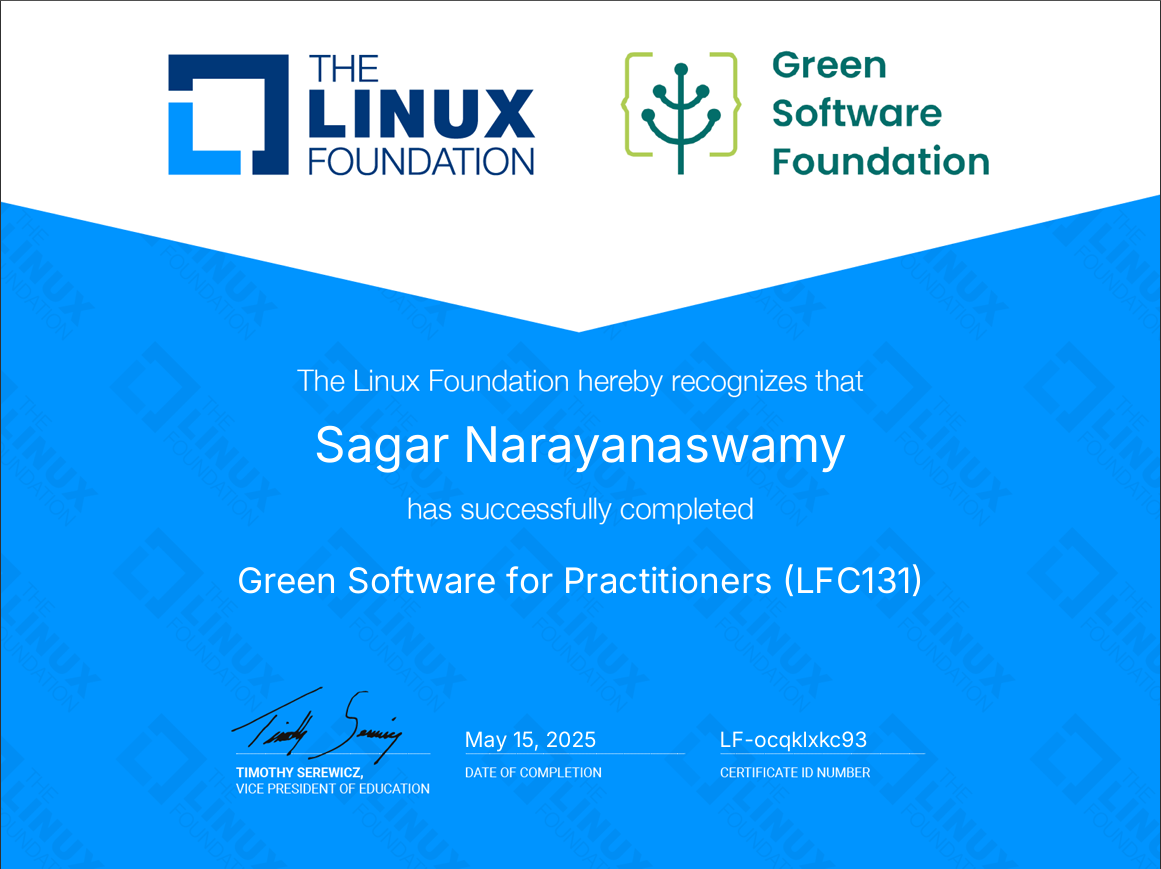
🌱 Green Software for Practitioners (LFC131) — Linux Foundation
🤖
GitHub Copilot
AI Pair-Programmer
Powered by Claude, GitHub Copilot served as the AI coding partner throughout
development — writing code, debugging Azure API integrations, implementing
16 scanning tools, building the UI, and iterating on features in real-time.
🧠 Claude Opus 4.6 · VS Code Agent Mode
~10 days
From zero to a fully functional AI agent with 16 tools, OAuth2 auth,
cost & CO₂ enrichment, one-click remediation, and SSE streaming —
built entirely through human–AI collaboration.
⚠️ Deployment Requirements
GreenOps is a ready MVP — not a prototype. To run it in your environment, you need:
Azure App Service Plan — to host the web application (B1 tier or above)
Azure OpenAI Service — for the GPT model that powers the agent (currently using a PoC deployment)
App Registration — Microsoft Entra ID OAuth2 for user authentication
RBAC Roles — Users need Reader (scans), Cost Management Reader (cost data), Carbon Optimization Reader (emissions), and optionally Contributor (remediation)
The agent uses your Azure credentials for all API calls — it only sees what your RBAC permissions allow.
No service principal, no stored secrets for resource access. Your data stays in your tenant.
Cloud sustainability starts with you.
Don't wait for an enterprise rollout. Sign in, scan your subscriptions,
and take ownership of your cloud footprint — right now.